
Written by Paresh Shah, Pharmacist | Last updated: October 6, 2026
Desk Job Joint Pain: Posture & Stretch Routine
Long hours at a desk can leave your neck, back, and hips feeling stiff or uncomfortable, especially when you stay in one position for too long. Adjusting your workstation, changing positions regularly, and using a short daily stretching routine can help you reduce prolonged static loading and keep your body moving.
Why Desk Jobs Can Lead to Joint and Body Discomfort

Spending several hours at a desk does not automatically mean you will develop a joint problem. However, staying in the same position for long periods, using an awkward workstation setup, and taking too few movement breaks can contribute to stiffness, muscle fatigue, and discomfort in areas such as the neck, shoulders, back, and hips. OSHA notes that prolonged static postures can fatigue the muscles that support the head and shoulders, while repetitive computer tasks can limit recovery time for muscles and tendons.
With desk job joint pain, the issue is often less about one “bad” posture and more about spending too much time in one position. A monitor that is too high or too low, a chair that does not provide adequate support, or a keyboard and mouse placed too far away can encourage awkward positions and increase physical strain.
Regularly changing positions and taking short movement breaks can help reduce the effects of prolonged sitting. Mayo Clinic also recommends proper office ergonomics to help reduce discomfort associated with seated work.
Fix Your Desk Posture First
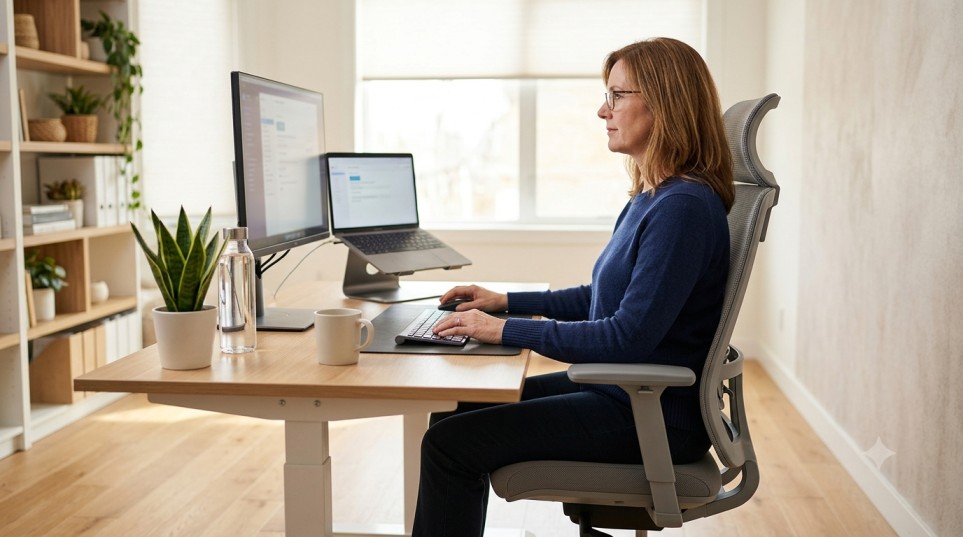
Before adding stretches to your routine, take a look at how you sit and work. A well-adjusted workstation can help reduce awkward positions and make it easier to keep your neck, back, shoulders, and arms supported throughout the workday. There is no single perfect posture for everyone, but your setup should allow you to work comfortably without repeatedly reaching, twisting, or bending your neck.
Set Your Monitor at the Right Height
Place your monitor directly in front of you and about an arm’s length away. The top of the screen should be at or slightly below eye level, so you can view it without tilting your head up or down. A poorly positioned monitor can encourage awkward neck and upper-body positions over time.
Support Your Back and Feet
Choose a chair that supports your back and allows your feet to rest flat on the floor or on a footrest. Keep your shoulders relaxed and your elbows close to your body rather than reaching forward for your keyboard or mouse.
Keep Your Keyboard and Mouse Within Easy Reach
Your keyboard should be positioned so your wrists and forearms can stay relatively straight and your shoulders remain relaxed. Keep the mouse close to the keyboard instead of repeatedly reaching across the desk. Frequently used items should also be within comfortable reach.
Finally, remember that even a well-designed workstation should not keep you in one position for hours. Change your posture regularly and take brief movement breaks during computer work. Standing, walking, or doing a gentle stretch can provide a simple reset before returning to your desk.
👉 Maintaining healthy joints involves more than exercise alone. Learn simple daily habits that can support better mobility and overall joint comfort.
Simple Stretch Routine for Desk Job Joint Pain
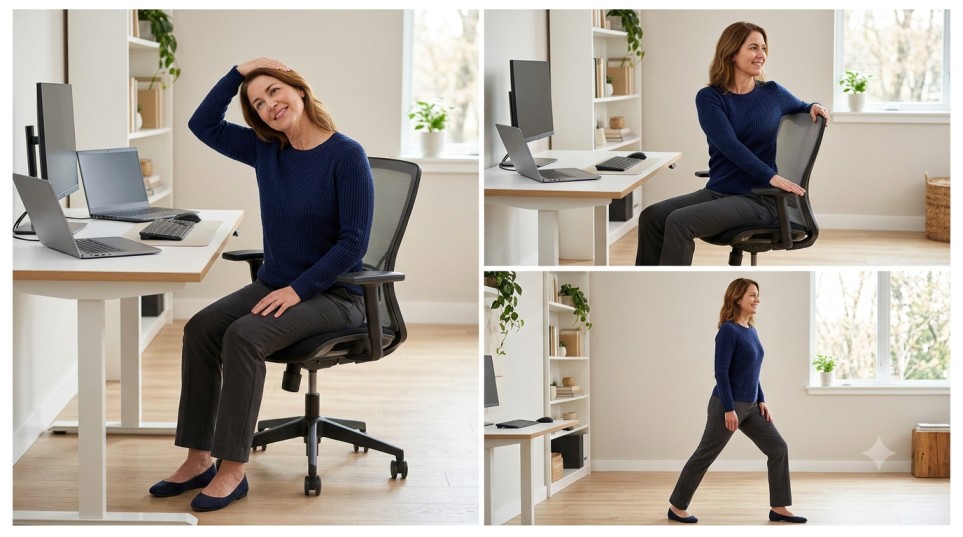
A few gentle stretches during the workday can help relieve the stiffness that may build up after sitting in one position for a long time. Mayo Clinic recommends workplace stretches for areas commonly affected by prolonged desk work, including the neck, shoulders, back, and lower body. The goal is not to force a deep stretch, but to move comfortably and regularly throughout the day.
Neck and Shoulder Stretches
1. Chin-to-Chest Stretch
Sit or stand upright with your shoulders relaxed. Slowly lower your chin toward your chest until you feel a gentle stretch along the back of your neck. Hold for 15–30 seconds, then slowly return to the starting position.
2. Gentle Neck Rotation
Keep your shoulders facing forward and slowly turn your head to one side until you feel a comfortable stretch. Hold for 15–30 seconds, then return to center and repeat on the other side. Avoid forcing your head beyond a comfortable range.
3. Shoulder Rolls
Slowly roll your shoulders up, back, and down, then reverse the movement. Perform several controlled repetitions. This simple movement can help break up the static position that often comes with computer work.
Back Mobility
4. Seated Trunk Rotation
Sit upright with your feet supported. Cross your arms over your chest and slowly rotate your upper body to one side while keeping your hips facing forward. Return to the center and repeat on the other side. Keep the movement gentle rather than trying to rotate as far as possible.
5. Standing Back and Chest Stretch
Stand and place your hands on a desk or another stable surface. Step back slightly and allow your upper body to move forward while keeping your arms extended. Hold the position comfortably and breathe normally. A standing stretch can be a useful way to change position after prolonged sitting.
Hip and Lower-Body Stretches
6. Seated Knee-to-Chest Stretch
While sitting in a stable chair, gently bring one knee toward your chest and hold behind the thigh. Keep your back as straight as comfortable and hold for about 30 seconds. Switch sides. Mayo Clinic includes this type of seated stretch as an option for people who spend long periods sitting.
7. Standing Hip Flexor Stretch
Stand near your desk or chair for support. Step one foot slightly behind you and gently shift your weight forward until you feel a comfortable stretch through the front of the hip. Keep your torso upright, then switch sides. Long periods of sitting can keep the hip muscles in a shortened position, so regular movement can help maintain comfortable mobility.
For all of these stretches for sitting all day, move slowly, breathe normally, and do not bounce. You should feel gentle tension rather than sharp or increasing pain. If a movement causes pain, stop and choose a more comfortable option.
A Simple Workday Movement Plan
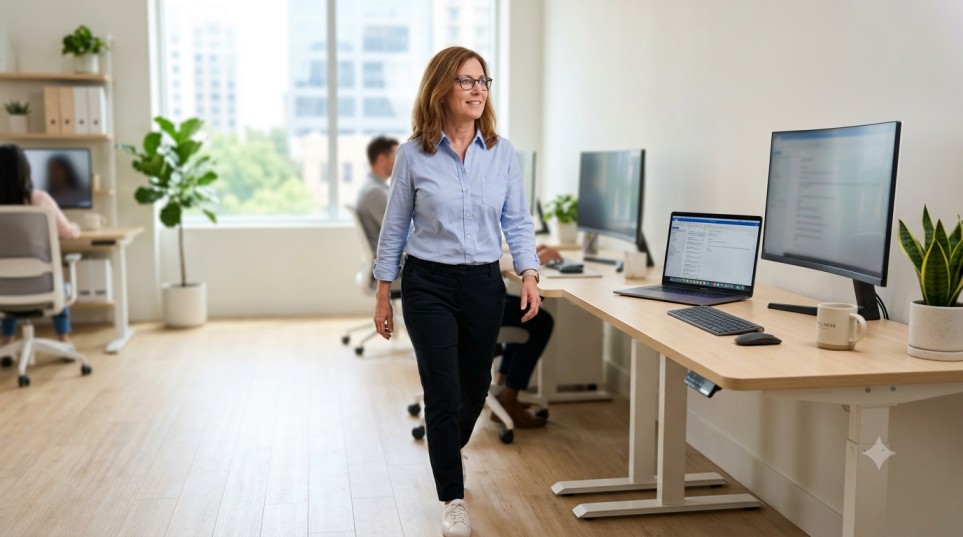
You do not need a long workout to break up a desk-heavy day. The key is to avoid staying in one position for extended periods and build small movement opportunities into your normal work routine. Regular position changes can help reduce the stiffness that may develop during prolonged computer work. (osha.gov)
Try this simple workday pattern:
- At the start of your workday: Adjust your chair, screen, keyboard, and mouse so you can work comfortably.
- During longer periods of sitting: Change your sitting position regularly instead of trying to hold one posture all day.
- When you have a short break: Stand up, walk around, or perform one or two gentle stretches.
- After extended computer work: Take a brief walking break before returning to your desk.
- Throughout the day: Alternate between sitting, standing, and light movement when practical.
A simple goal is to make movement part of your routine rather than waiting until your neck, back, or hips feel stiff. Even small changes can make a desk-based workday feel more manageable. Mayo Clinic also recommends changing positions and taking regular breaks as part of healthy office ergonomics. (mayoclinic.org)
When Desk-Related Pain Should Be Checked
Mild stiffness after a long day at your desk can sometimes improve with regular movement, posture changes, and gentle stretching. However, not all neck, back, or hip pain is caused by sitting, so persistent or unusual symptoms should not automatically be blamed on your workstation.
Consider talking with a healthcare professional if your pain is severe, keeps getting worse, does not improve with self-care, or regularly interferes with your daily activities. Pain that travels into an arm or leg, or is accompanied by numbness, tingling, or weakness, also deserves medical evaluation. (mayoclinic.org)
Seek urgent medical attention for back pain accompanied by new bowel or bladder problems, significant weakness or numbness, fever, or pain following a serious injury. These symptoms can sometimes indicate a condition that needs prompt assessment. (mayoclinic.org)
Do not force a stretch through sharp, increasing, or unusual pain. A healthcare professional can help determine whether your symptoms are related to posture and prolonged sitting or whether another cause needs to be considered.
👉 Regular movement can be an important part of a joint-friendly routine. Walking is a simple way to stay active and support comfortable mobility throughout the day.
Frequently Asked Questions (FAQs)
Conclusion
Desk work does not have to mean sitting through hours of stiffness and discomfort. A supportive workstation, regular position changes, and short movement breaks can make a desk-heavy day more comfortable. Gentle stretches for the neck, back, and hips can also be useful when included as part of a consistent routine.
The goal is not to maintain one perfect posture all day. Instead, focus on setting up your workspace well, moving regularly, and responding to your body’s comfort level. If pain is persistent, worsening, or accompanied by symptoms such as numbness or weakness, seek guidance from a healthcare professional rather than relying on stretches alone.
Medical Disclaimer
This article is for informational and educational purposes only and is not intended to provide medical advice, diagnosis, or treatment. The exercises, stretches, and wellness suggestions discussed here may not be appropriate for everyone. Stop any activity that causes pain or discomfort and consult a qualified healthcare professional about persistent, severe, or worsening symptoms.
Image Disclaimer
Images used in this article are for illustrative and educational purposes only. They are not intended to represent specific medical conditions, treatment outcomes, or professional medical advice.